iPhone backups that actually finish.
iTunes is gone and Finder sync is a coin flip. BackupMaster copies your photos and videos over USB or Wi-Fi — and if the connection drops, it reconnects and picks up right where it left off.
Why people switch
Everything the old iTunes sync promised — done properly, and private by default.
It actually finishes
No “device not found”, no frozen progress bars. If Wi-Fi hiccups mid-backup, BackupMaster reconnects, retries the file, and keeps going.
Private by design
Transfers run over your cable or your Wi-Fi network — never through a server. Nothing to sign into, nothing to leak.
Wi-Fi or cable — your call
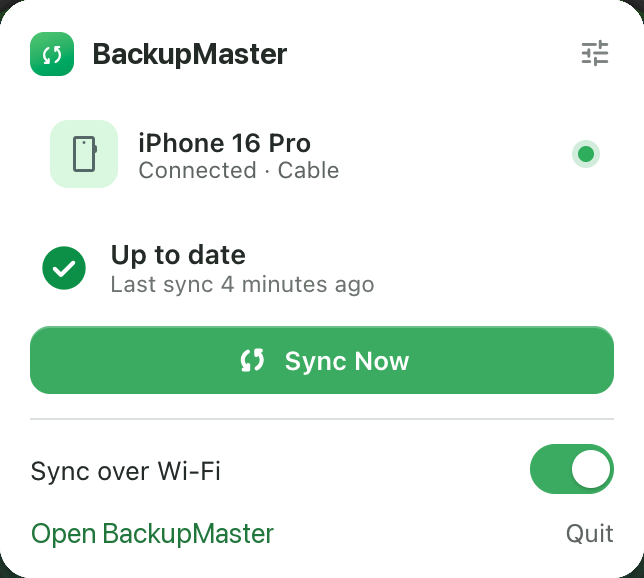
Pair once over USB, and your iPhone syncs whenever it's on the same Wi-Fi. The cable becomes a speed boost, not a requirement.
Cable-fast transfers
Full-speed USB moves gigabytes in minutes. Your whole camera roll lands on your Mac before iCloud finishes “preparing”.
You choose what syncs
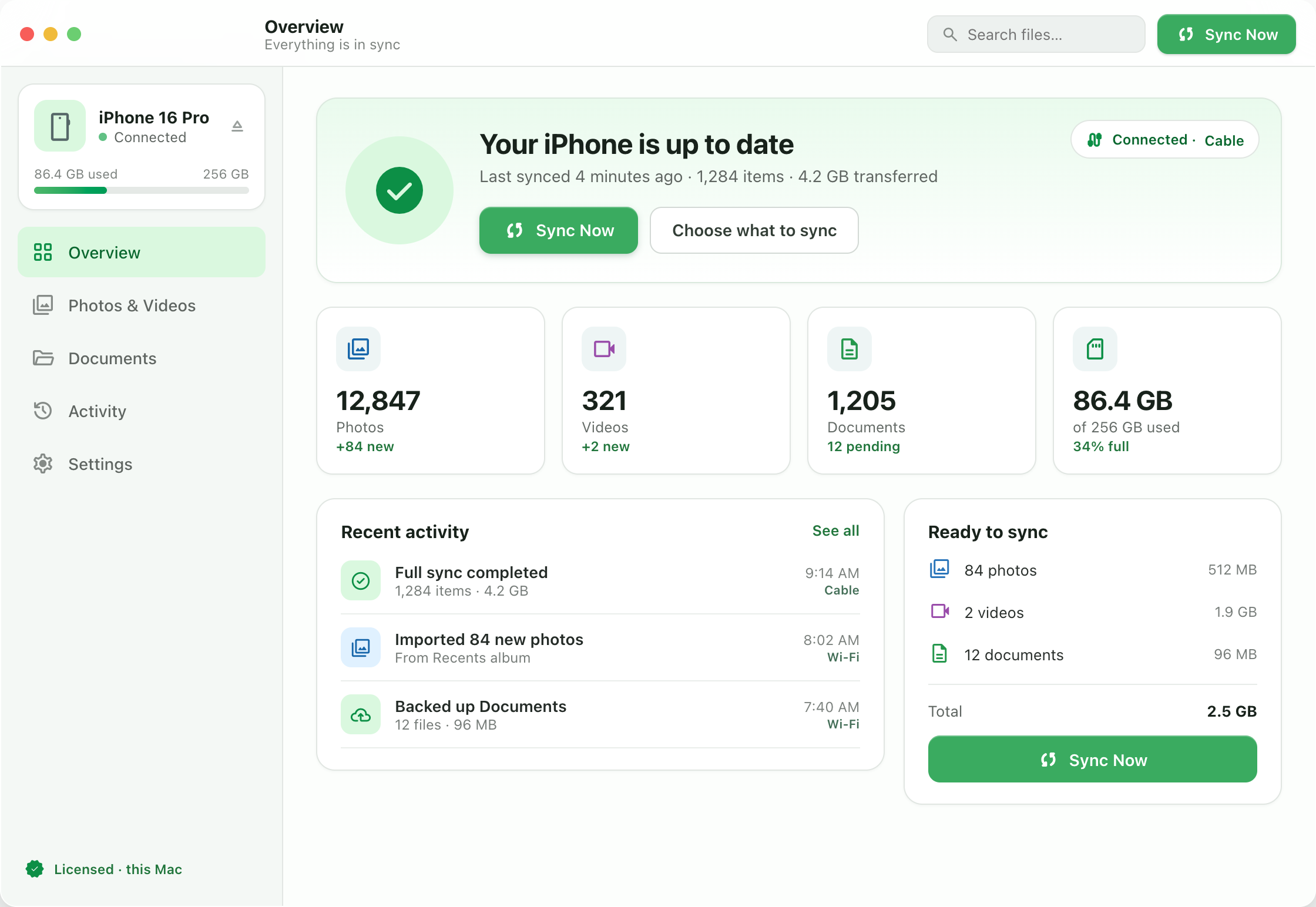
Photos, videos, or both — tick what matters and see the total size before you start. Anything already backed up is skipped automatically.
Plain files you own
Everything lands in normal folders — HEIC, ProRAW and 4K originals intact. No proprietary vault, no export hoops.
Minutes, not overnight.
BackupMaster reads your iPhone directly — there's no upload queue and no server between you and your files. Last night's videos are on your Mac before your coffee is ready.
Real-world rates syncing a 256 GB iPhone 16 Pro. Cloud speed depends on your upstream connection — and their queue.
The app mid-backup — cable connection, real transfer rate.
Three steps, then it's automatic
Connect
Plug in a cable — or pick your iPhone from the device list when it's on your Wi-Fi. Tap “Trust” once and you're paired.
Choose
BackupMaster measures what's on the phone — photos and videos, with real sizes — and shows the total before you commit.
Done — forever
Files land in tidy folders on your Mac. Every run after that copies only what's new — over the cable or your Wi-Fi.
The honest comparison
You have three ways to get files off an iPhone. Two of them work for someone else.
| What matters | BackupMaster | iCloud+ | Finder sync |
|---|---|---|---|
| Price | Free right now — later $20, once | $0.99–$9.99 every month | Free |
| Your files live on | Your Mac | Apple's servers | Your Mac |
| Works without internet | |||
| Sync over local Wi-Fi | Internet required | Hit or miss | |
| Pick exactly what syncs | Limited | ||
| Resumes interrupted backups | Slow background queue | ||
| Account required | None | Apple ID + card | None |
Free for a limited time.
BackupMaster will be a $20 one-time license — never a subscription. While it's in early access, the whole app is free.
- Every feature included — no cap
- USB & Wi-Fi sync
- Reliable, resumable backups
- No account, no card — just your email
Like software used to work: own it, no meter running.
Requires macOS 26 on Apple Silicon.
Questions, answered
Where do my files actually go?
Straight from your iPhone to your Mac — over the cable, or over your own Wi-Fi network. Nothing is uploaded anywhere, there's no server in the middle, and no account to create. Unplug your router and it still works.
Is it really free?
Yes — for a limited time while BackupMaster is in early access, the whole app is free with every feature included. Enter your email on this page and the download starts. We only use the email for app updates.
What will it cost later?
When early access ends, BackupMaster will be a $20 one-time license for one Mac, with lifetime updates. No subscription, no “pro tier”, no renewal email next year.
How does Wi-Fi sync work?
Pair your iPhone once with the cable and turn on “Sync over Wi-Fi”. After that, BackupMaster finds the phone whenever both devices are on the same network — it can back up while the phone charges in another room.
Can I choose what gets backed up?
Yes — photos and videos, together or separately. BackupMaster measures both categories first and shows the sizes, so you know exactly what you're copying before you start.
What happens if the connection drops mid-backup?
The backup doesn't start over. BackupMaster retries each file, reconnects on its own, and remembers which files are already done — so the next run copies only what's missing. One bad file never kills the run either: it's skipped, counted, and picked up on the next try.
What if it doesn't work for me?
It's free right now, so it costs nothing to find out. If something misbehaves, email support — real replies, and your report makes the app better before the paid launch.
What do I need to run it?
A Mac with Apple Silicon running macOS 26, and an iPhone or iPad on a recent iOS. One app, no drivers, no iTunes leftovers. Support for older macOS versions is coming.
macOS says the app “can't be opened”?
That's Gatekeeper being careful with a fresh download. Right-click (or Control-click) BackupMaster.app, choose Open, then Open again. You only do this once — after that it opens normally.
Guides for the cloud-free life
Practical answers for people getting their files back.
How to sync your iPhone to your Mac without iCloud (the 2026 guide)
Every way to back up an iPhone to a Mac locally in 2026 — Finder sync, Image Capture, AirDrop and dedicated apps — compared honestly, plus how Wi-Fi sync works without the cloud.
iTunes is gone. Here's how to back up your iPhone in 2026
Apple retired iTunes in 2019. What replaced iPhone sync on the Mac, why Finder isn't really it, and how to get the old plug-in-and-done backup workflow back in 2026.
The real cost of iCloud: what 2 TB costs you over five years
iCloud+ looks cheap by the month. Add it up over five years and 2 TB costs $599.40 — for storage you never own. The rent-vs-buy math on iPhone backup, with receipts.
Your photos belong on your Mac.
BackupMaster is free for a limited time — every feature included. Enter your email, download the app, plug in your iPhone.